

SwiftScan: numérisez documents
Catégorie : Bureaux commerciauxVersion: 9.1.0
Taille:152.62MSystème d'exploitation : Android 5.1 or later
 Télécharger
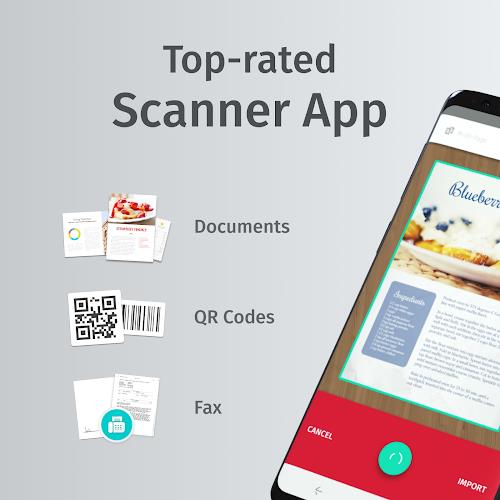
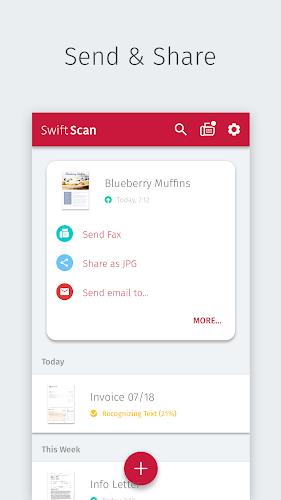
 SWIFTScan: Scan Documents PDF - une application de numérisation mobile primée qui vous permet de numériser facilement des documents et des codes QR avec juste une touche. Cette application intuitive vous permet de créer des analyses PDF ou JPG de haute qualité et de les envoyer facilement par e-mail ou par télécopieur. L'application prend également en charge l'intégration transparente avec des services cloud tels que Google Drive, Dropbox et Evernote, faisant du stockage et de l'organisation des documents numérisés. La technologie de numérisation avancée de Swiftscan garantit une numérisation rapide et précise, tandis que son interface conviviale permet à quiconque de l'utiliser. Avec ses fonctionnalités impressionnantes et ses performances de premier ordre, il n'est pas surprenant que Swiftscan soit reconnu comme l'une des meilleures applications de numérisation sur le marché.
SWIFTScan: Scan PDF Documents Fonctionnalités:
- Analyse de haute qualité: SWIFTScan vous permet de créer des analyses PDF ou JPG gratuites avec juste une touche. L'application utilise une technologie de numérisation avancée (la résolution de démarrage est de 200 dpi), garantissant un effet de qualité comparable à celui d'un scanner de bureau.
- Options de partage de fichiers pratiques: Vous pouvez facilement envoyer des fichiers numérisés par e-mail ou par fax, ce qui facilite le partage de documents importants avec d'autres. De plus, vous pouvez télécharger des fichiers sur des services cloud populaires tels que Google Drive, Dropbox et Evernote.
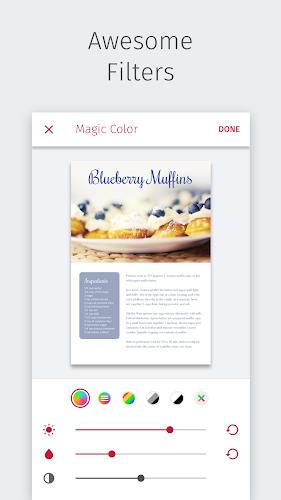
- Intuitif et facile à utiliser: Swiftscan est conçu pour être très convivial et la caméra fera tout le travail lourd pour vous. L'application prend des centaines de décisions pour capturer et optimiser les documents numérisés, y compris la culture, les corrections et l'application de filtres.
- primé et très bien évalué: Cette application de numérisation PDF a remporté de nombreux prix et maintient une note de satisfaction de l'utilisateur de 98%. Il a également été nommé "Recommandation de l'éditeur" par Google Play, mettant davantage en soulignant sa qualité et sa fiabilité.
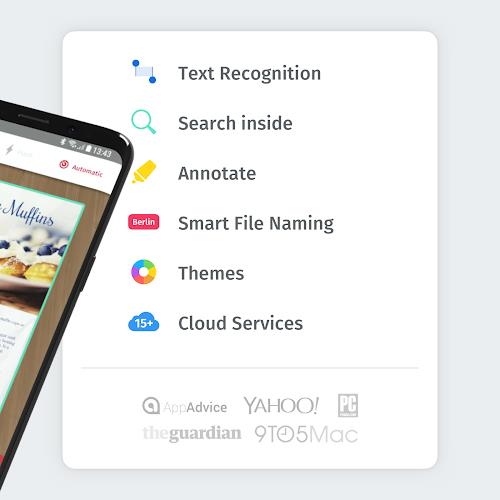
- Améliorations des fonctionnalités VIP: Mettre à niveau vers SWIFTSCAN VIP, vous pouvez accéder à plus de fonctionnalités, y compris l'OCR (extraction de texte), l'intégration du cloud avec divers services, les capacités d'édition de fichiers et les thèmes exquis pour des expériences personnalisées.
- Compatibilité et polyvalence larges: SWIFTScan convient à tous les types de documents, des documents papier aux cartes de visite, aux codes QR, aux codes à barres et plus encore. Il peut même scanner un tableau blanc ou une note. L'application est également compatible avec les services cloud populaires et prend en charge plusieurs formats de fichiers.
résume:
SWIFTScan: Scan PDF Documents est une excellente application de numérisation mobile qui offre des capacités de numérisation pratiques et de haute qualité. Avec son interface facile à utiliser et sa technologie de numérisation avancée, il offre une expérience de numérisation de document sans couture et efficace. Que vous ayez besoin de scanner des documents, de partager des documents par e-mail ou de fax ou de stocker des documents dans un service cloud, Swiftscan vous a couvert. Pas à niveau vers SWIFTSCAN VIP, vous pouvez déverrouiller plus de fonctionnalités et d'options de personnalisation.




- Guide des accomplissements et récompenses du Two Point Museum Il y a 1 semaines
- La nouvelle événement de type Métal massif Pokémon TCG Pocket est en cours Il y a 1 semaines
- Oblivion Remastered : Le sauvetage de l'Empereur par la nouvelle génération Il y a 1 semaines
- GeoGuessr se retire de la Coupe d'e-sport saoudienne sous la pression du public Il y a 1 semaines
- Le jeu Skate d'EA introduit les achats intégrés avant sa sortie Il y a 1 semaines
- Crazy Games s'associe à Perplexity pour le jeu IA Il y a 1 semaines
-

La vie à la mode / 24.4.1 / by Calisteniapp, S.L. / 69.34M
Télécharger -

Bureaux commerciaux / v1.0 / by xifa console / 2.95M
Télécharger -

La vie à la mode / 0.105 / by Veicoli Srl / 4.80M
Télécharger -

Outils / v1.1.9 / by nikiisoku / 141.53M
Télécharger -

Personnalisation / 1.3.2 / 229.15M
Télécharger -

Outils / 2.2.8 / by Gspace Team / 15 MB
Télécharger -

La vie à la mode / v1.0 / by MNA Team / 264.80M
Télécharger -

Personnalisation / v5.3.0 / by Free Action Games Lab / 93.63M
Télécharger
-
 Les 10 meilleures équipes de Marvel Strike Force (2025)
-
 Square Enix crée une nouvelle politique pour protéger les employés des fans toxiques
-
 Célébrez le 7e anniversaire: Résolvez le mystère de Harry Potter: Poudlard Mystery!
-
 Comment réparer les concurrents de Marvel en compilant les shaders lent au lancement
-
 Il semble que nous puissions oublier les scènes de sexe explicites à Inzoi
-
 "ESO Expansions & DLC: Guide complet de commande"