


KEF Connect
Catégorie : PersonnalisationVersion: 1.20.2
Taille:16.88MSystème d'exploitation : Android 5.1 or later
 Télécharger
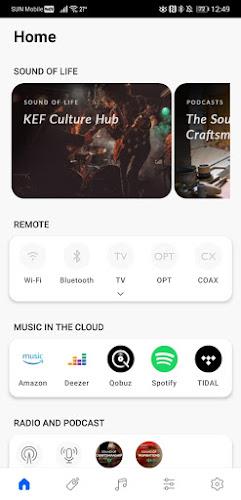
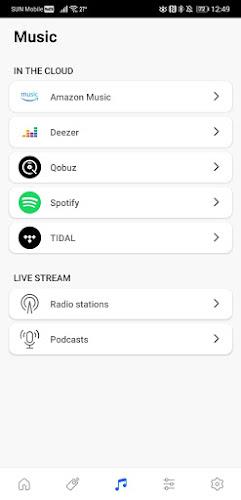
 L'application KEF Connect révolutionne votre plaisir musical, offrant un contrôle et un accès inégalés à un monde audio. Sa conception intuitive simplifie la connexion de votre enceinte sans fil KEF à votre réseau et s'intègre parfaitement aux services musicaux populaires tels que Spotify, TIDAL et Amazon Music, ainsi que Qobuz et Deezer. Gérez la lecture, réglez le volume et sélectionnez facilement les sources d'entrée. Améliorant encore votre expérience d'écoute, l'application permet des ajustements sonores personnalisés pour compléter parfaitement votre pièce et vos préférences. Découvrez la musique comme jamais auparavant avec KEF Connect.
Principales caractéristiques de KEF Connect :
- Configuration sans effort des enceintes : La connexion de votre enceinte sans fil KEF est incroyablement simple et ne nécessite que quelques étapes simples.
- Accès étendu à la bibliothèque musicale : Débloquez un univers musical via Spotify, TIDAL, Amazon Music, Qobuz, Deezer, la radio Internet et les podcasts. Découvrez de nouveaux artistes et explorez de vastes paysages musicaux.
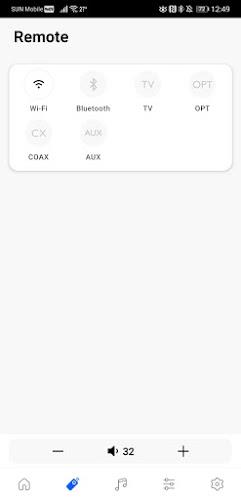
- Contrôle intuitif de la lecture : Gérez votre musique en toute transparence ; lisez, mettez en pause, sautez des pistes et réglez le volume directement depuis votre smartphone ou votre tablette.
- Sélection polyvalente de la source d'entrée : Basculez sans effort entre différentes sources d'entrée, en connectant votre haut-parleur à votre téléphone, votre ordinateur ou d'autres appareils.
- Optimisation audio supérieure : Affinez les paramètres sonores de votre haut-parleur pour obtenir l'équilibre sonore parfait pour votre pièce et vos goûts personnels, garantissant une expérience audio immersive.
- Personnalisation personnalisable : Profitez de fonctionnalités telles qu'une minuterie d'arrêt, une sélection de source de réveil automatique et un verrouillage enfant pour plus de sécurité et de commodité.
En conclusion :
KEF Connect est un outil indispensable pour tout propriétaire d'enceinte sans fil KEF. Son interface conviviale, son accès étendu à la musique et ses options de contrôle complètes transforment votre expérience d'écoute. Téléchargez KEF Connect aujourd'hui et libérez tout le potentiel de votre enceinte sans fil KEF.


KEF Connect is a must-have for any audiophile. It unlocks the full potential of my KEF speakers, allowing me to customize the sound to my liking. The app is intuitive and easy to use, with a sleek interface and helpful tutorials. I can now enjoy my music with the perfect balance and clarity, making every listening session an immersive experience. 🎧🎶
KEF Connect: An app with a sleek interface and user-friendly controls. It seamlessly connects to my KEF speakers, allowing me to effortlessly adjust settings and customize my listening experience. While the app occasionally encounters minor glitches, it quickly resolves them with updates. Overall, it's a solid companion for my KEF system. 👍
KEF Connect is a solid app for controlling KEF speakers. It's easy to use and has a clean interface. The app allows you to adjust volume, EQ, and other settings. It also has a built-in music player and supports streaming from popular services like Spotify and Tidal. Overall, it's a good app for controlling KEF speakers, but it could use a few more features, like the ability to create and save presets. ⭐⭐⭐


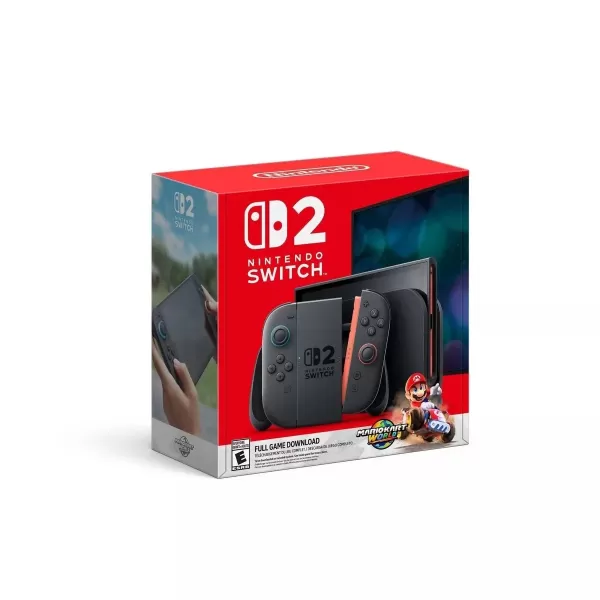
Rupture de stock de la Switch 2 : la pénurie semble prendre fin

World of Goo 2 apporte des énigmes de physique sur mobile
- Harukanaru Toki no Naka de: Ryuuguu no Miko arrive sur iOS et Android cet hiver il y a 1 jours
- Le Steelbook 4K de The Thunderbolts* est enfin disponible en précommande, avec les deux titres il y a 6 jours
- Hoora transforme le jeu mobile en un défilement à la TikTok de minijeux sans fin il y a 6 jours
- Duet Night Abyss : le jeu de gacha qui coupe les coûts et booste joueurs et développeurs Il y a 1 semaines
- Pedro Pascal reconnaît la controverse des fans concernant le casting de Reed Richards Il y a 1 semaines
- Les préinscriptions à la mise à jour d'anniversaire de Brown Dust 2 sont ouvertes Il y a 1 semaines
- Play Together dévoile un immense parc à thème dinosaures ! Il y a 1 semaines
- A Little to the Left lance les extensions Cupboards & Drawers et Seeing Stars Il y a 1 semaines
- Monster Train est maintenant disponible sur Android Il y a 1 semaines
-

La vie à la mode / 24.4.1 / by Calisteniapp, S.L. / 69.34M
Télécharger -

Bureaux commerciaux / v1.0 / by xifa console / 2.95M
Télécharger -

La vie à la mode / 0.105 / by Veicoli Srl / 4.80M
Télécharger -

Outils / v1.1.9 / by nikiisoku / 141.53M
Télécharger -

Personnalisation / 1.3.2 / 229.15M
Télécharger -

Outils / 2.2.8 / by Gspace Team / 15 MB
Télécharger -

Communications / 2.0.0.24 / 59.72M
Télécharger -

La vie à la mode / v1.0 / by MNA Team / 264.80M
Télécharger
-
 Les 10 meilleures équipes de Marvel Strike Force (2025)
-
 Square Enix crée une nouvelle politique pour protéger les employés des fans toxiques
-
 Célébrez le 7e anniversaire: Résolvez le mystère de Harry Potter: Poudlard Mystery!
-
 Comment réparer les concurrents de Marvel en compilant les shaders lent au lancement
-
 Il semble que nous puissions oublier les scènes de sexe explicites à Inzoi
-
 "ESO Expansions & DLC: Guide complet de commande"