Heim >  Apps >  Kommunikation >  Synchronisierung für iCloud
Synchronisierung für iCloud

Synchronisierung für iCloud

Kategorie : KommunikationVersion: 13.06

Größe:13.85MBetriebssystem : Android 5.1 or later

4
Herunterladen
Anwendungsbeschreibung
Erleben Sie die mühelose iCloud-E-Mail-Verwaltung auf Ihrem Android-Gerät mit Sync for iCloud Mail! Diese spezielle App macht eine manuelle iCloud-E-Mail-Synchronisierung überflüssig und bietet eine optimierte Möglichkeit, alle Ihre E-Mails an einem Ort abzurufen und anzuzeigen. Ihre Zugangsdaten bleiben durch unsere verschlüsselte Verbindung sicher. Verwalten Sie mehrere iCloud-, me.com- und mac.com-Konten bequem über einen einzigen Posteingang. Genießen Sie Funktionen wie den batteriesparenden Dunkelmodus und die Hintergrundsynchronisierung – alles kostenlos. Aktualisieren Sie noch heute Ihr iCloud-E-Mail-Erlebnis!

Hauptmerkmale von Sync for iCloud Mail:

  • Automatisierte Synchronisierung: Synchronisieren Sie Ihre iCloud-E-Mails nahtlos mit Ihrem Android-Gerät und stellen Sie sicher, dass Sie keine Nachricht verpassen.

  • Intuitiver E-Mail-Viewer: Sehen und lesen Sie ganz einfach alle Ihre E-Mails in einer einzigen, benutzerfreundlichen Anwendung.

  • Sichere verschlüsselte Verbindung:Ihr Benutzername und Ihr Passwort sind durch eine sichere, verschlüsselte Verbindung zu den iCloud-Servern von Apple geschützt.

  • Unterstützung mehrerer Konten: Verwalten Sie mehrere iCloud-, me.com- und mac.com-Konten und greifen Sie über einen einheitlichen Posteingang auf alle Ihre E-Mails zu.

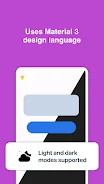
  • Dunkelmodus: Spart Batteriestrom und verbessert die Lesbarkeit bei schlechten Lichtverhältnissen.

  • Umfassende Kompatibilität: Funktioniert einwandfrei auf Telefonen und Tablets, einschließlich geteilter Bildschirmanzeige auf größeren Geräten.

Zusammenfassung:

Sync for iCloud Mail ist die perfekte Lösung für Android-Benutzer, die für E-Mails auf iCloud angewiesen sind. Die automatische Synchronisierung, das intuitive Design und die robusten Sicherheitsfunktionen garantieren ein reibungsloses und effizientes E-Mail-Erlebnis. Der zusätzliche Komfort der Unterstützung mehrerer Konten und des Dunkelmodus macht es zu einer unverzichtbaren App. Laden Sie Sync for iCloud Mail jetzt herunter und nutzen Sie das volle Potenzial Ihrer iCloud-E-Mail auf Ihrem Android-Gerät!

Synchronisierung für iCloud Screenshot 0
Synchronisierung für iCloud Screenshot 1
Synchronisierung für iCloud Screenshot 2
Synchronisierung für iCloud Screenshot 3
Rezensionen Kommentare posten
Neueste Nachrichten
Boost Your Monster Hunter Wilds Experience: Exclusive PC Patch Released by Modder
Fans of Monster Hunter Wilds on PC have reason to celebrate — a highly anticipated, fan-made patch has been officially released by a dedicated modder, promising to enhance gameplay, improve performance, and unlock new features not found in the base game.
The unofficial patch, developed by a well-known modder known in the community as “HuntMaster_X,” addresses several long-standing issues reported by PC players since the game's launch. Key improvements include:

Performance Optimization: Reduced frame drops and stuttering, especially during large monster battles and intense environmental events.
Enhanced Graphics Settings: Added support for higher resolutions (up to 4K), customizable anti-aliasing, and improved texture streaming.
Quality-of-Life Tweaks: Faster loading times, reworked UI scaling for ultra-wide monitors, and improved controller support.
New Customization Options: Players can now adjust monster spawn rates, toggle weather effects, and modify hunter mobility for a more tailored experience.
Stability Fixes: Critical bug fixes for crash issues related to multiplayer sync and map transitions.

While the mod is not officially endorsed by Capcom, it has gained widespread praise across Reddit, Nexus Mods, and Monster Hunter fan forums. The modder has emphasized that the patch is fully compatible with the latest official update and does not require any game files to be altered, reducing the risk of account bans.
Important Note: As with all unofficial mods, users are advised to back up their game files and proceed at their own risk. The mod is currently only available for Windows 10/11 and requires the game to be installed via Steam or the Microsoft Store.
To download the patch, visit the official Nexus Mods page (link: nexusmods.com/monsterhunterwilds) or the modder’s verified Discord server.
Whether you're a seasoned hunter or new to the world of Monster Hunter Wilds, this exclusive PC patch could be the key to a smoother, more immersive experience.
Stay wild. Stay hunted. And stay modded. 🐉⚔️

Boost Your Monster Hunter Wilds Experience: Exclusive PC Patch Released by Modder Fans of Monster Hunter Wilds on PC have reason to celebrate — a highly anticipated, fan-made patch has been officially released by a dedicated modder, promising to enhance gameplay, improve performance, and unlock new features not found in the base game. The unofficial patch, developed by a well-known modder known in the community as “HuntMaster_X,” addresses several long-standing issues reported by PC players since the game's launch. Key improvements include: Performance Optimization: Reduced frame drops and stuttering, especially during large monster battles and intense environmental events. Enhanced Graphics Settings: Added support for higher resolutions (up to 4K), customizable anti-aliasing, and improved texture streaming. Quality-of-Life Tweaks: Faster loading times, reworked UI scaling for ultra-wide monitors, and improved controller support. New Customization Options: Players can now adjust monster spawn rates, toggle weather effects, and modify hunter mobility for a more tailored experience. Stability Fixes: Critical bug fixes for crash issues related to multiplayer sync and map transitions. While the mod is not officially endorsed by Capcom, it has gained widespread praise across Reddit, Nexus Mods, and Monster Hunter fan forums. The modder has emphasized that the patch is fully compatible with the latest official update and does not require any game files to be altered, reducing the risk of account bans. Important Note: As with all unofficial mods, users are advised to back up their game files and proceed at their own risk. The mod is currently only available for Windows 10/11 and requires the game to be installed via Steam or the Microsoft Store. To download the patch, visit the official Nexus Mods page (link: nexusmods.com/monsterhunterwilds) or the modder’s verified Discord server. Whether you're a seasoned hunter or new to the world of Monster Hunter Wilds, this exclusive PC patch could be the key to a smoother, more immersive experience. Stay wild. Stay hunted. And stay modded. 🐉⚔️

Resident Evil 2 erscheint für iPhone 15 und 16 Pro.

Resident Evil 2 erscheint für iPhone 15 und 16 Pro.