
>  ゲーム >  カジュアル >  고양이 정원
고양이 정원

고양이 정원

カテゴリー : カジュアルバージョン: 1.16.13

サイズ:171.4 MBOS : Android 5.1+

2.5
ダウンロード
アプリケーションの説明

キャットガーデンの秘密を発見し、心温まるロマンスを体験してください!キャットガーデンへようこそ、ロマンスとミステリーに満ちた魅惑的なマージゲーム!エミリーが彼女の子供時代の場所であるダンバーズチルドレンズセンターを回復し、彼女の本当の両親についての真実を明らかにするのを助けてください。庭に隠されたエミリーの誕生の秘密が明らかにされようとしています。

あなたの庭の手入れ、魅力的なカフェを運営し、繁栄する農場を管理することで、牧歌的な田舎の生活をお楽しみください。愛らしい猫の間で展開する愛情のこもった物語を喜ばせます。彼女の幼なじみの友人であるアイデン、熟練した庭師マヤ、そしてエミリーの心を捉える才能のあるペストリーシェフコナーの間で?さわやかな自然の香りで満たされた魅力的なロマンスを体験してください。

今すぐキャットガーデンの楽しみに参加してください!アイテムをマージして、庭を拡張し、複数の領域をクリアします。報酬を獲得するために、何百もの中毒性の多様なクエストを完了してください!美しく手描きのオリジナルアートに没頭し、魅力的な3Dアニメーションキャラクターをお楽しみください。ロマンス、ミステリー、甘くて風味のあるタッチを融合させたエキサイティングなストーリーを体験してください!

新しいクエスト、エリア、ストーリーラインは、キャットガーデンに常に追加されています!すでにゲームを楽しんでいますか?最新情報をお楽しみに、フィードバックを共有してください!

cat猫の庭には、最適なゲームプレイのために次のアクセス許可が必要です。 optionオプションのアクセス許可に同意しない場合でも、ゲームを使用できます。また、許可後にアクセス権限をリセットまたは取り消すことができます。

\ [Optional ]ストレージスペース(写真/メディア/ファイル):ゲーム内のキャラクターコスチュームスクリーンショットのキャプチャに使用されます。 \ [Optional ]通知:ゲームアプリから情報通知と広告プッシュ通知を受信できます。

\ [アクセス許可を管理する方法]

1。Android6.0以降:

  • アクセス許可を取り消すには:デバイス設定>個人情報保護>許可マネージャー>関連するアクセス許可を選択> [アプリを選択]>アクセス許可を選択または撤回することを選択します。
  • アプリを介してアクセス許可を取り消すには:デバイス設定> [アプリ]> [アプリ]> [[権限]を選択]> [アクセス権の合意]を選択するか、[アクセス許可]を撤回するかを選択します。

◆開発者の連絡先情報(16827)#516、Bundang Suji U-Tower、767 Sinsu-Ro、Suji-Gu、Yongin-Si、Gyeonggi-Do +82)1080818512 [email protected]

最新バージョンの新しいもの(1.16.13- 2024年12月12日に最終更新)シーズンパス報酬と新しいエリアが追加されました!
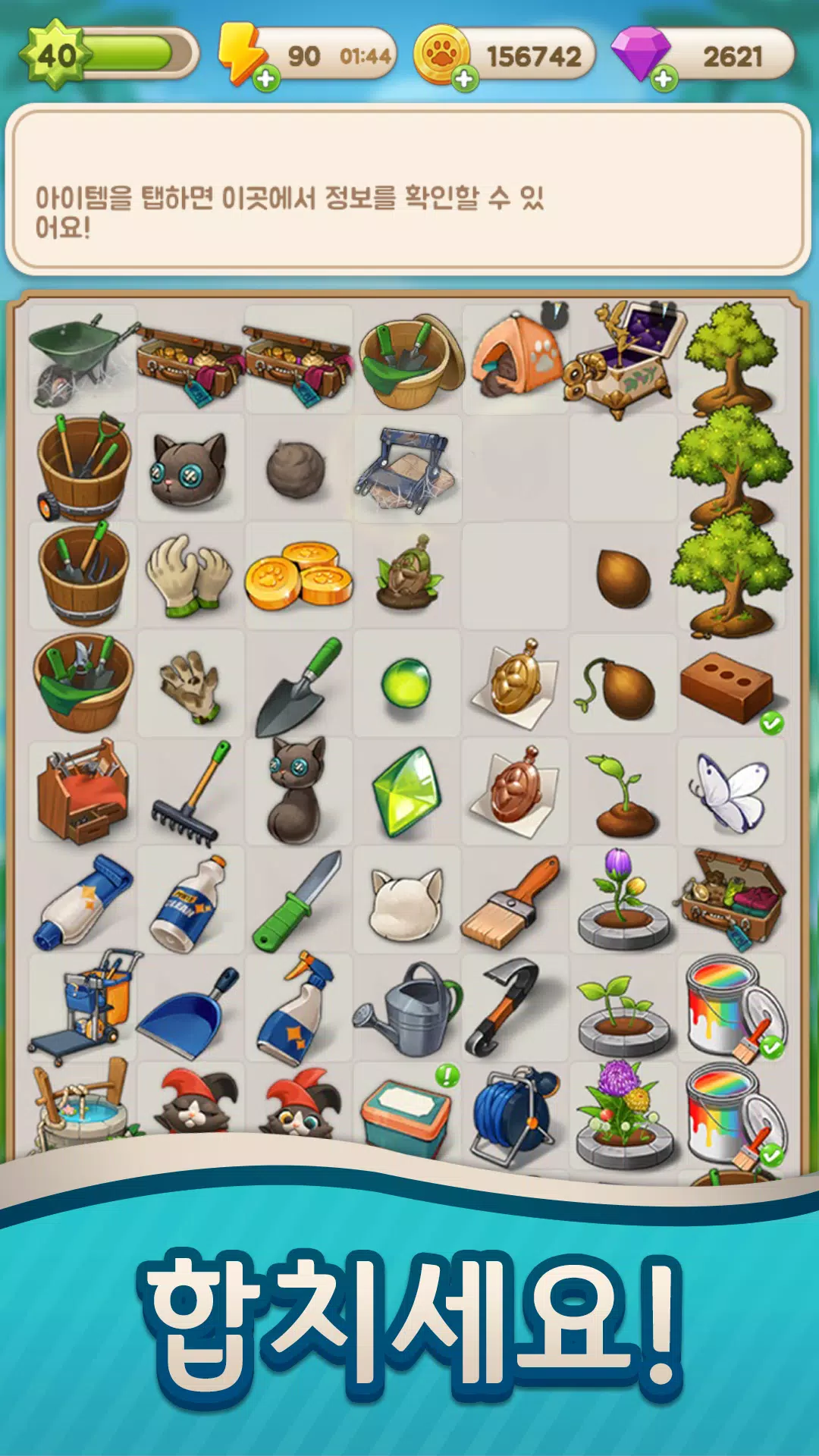
고양이 정원 スクリーンショット 0
고양이 정원 スクリーンショット 1
고양이 정원 スクリーンショット 2
고양이 정원 スクリーンショット 3
고양이좋아 Sep 05,2025

고양이 정원 정말 재밌어요 🐱! 스토리도 감동적이고 머지 게임도 중독성 있어요. 에밀리의 비밀을 풀어가는 과정이 너무 흥미로워요. 다만 가끔 광고가 많아서 조금 짜증나네요. 그래도 계속 할 거 같아요!


最新ニュース
Boost Your Monster Hunter Wilds Experience with Exclusive PC Patch by Modder
Fans of Monster Hunter Wilds on PC have reason to celebrate — a passionate modder has released an exclusive, highly anticipated patch that enhances gameplay, performance, and overall immersion for players on the Windows platform.
While Capcom has yet to officially release a PC-specific patch, this community-driven mod introduces several key improvements, including:

Performance Optimization: Reduced stuttering and improved frame rates, especially in dense monster encounters and large-scale map areas.
Enhanced Visuals: Optional texture improvements, higher draw distances, and refined lighting for a more cinematic experience.
Quality-of-Life Tweaks: Customizable UI scaling, faster menu navigation, and improved controller support for better accessibility.
Bug Fixes: Addresses known issues like occasional crashes, input lag, and animation glitches that have plagued the PC release since launch.
Modding Framework Integration: Paves the way for future community mods with built-in compatibility tools and an easy-to-use mod loader.

The patch is currently available via trusted modding platforms like Nexus Mods and ModDB, with detailed installation guides and backup instructions provided by the developer.
While official support for mods remains limited, the modder stresses that this patch is designed to complement, not replace, the base game. Players are encouraged to back up their game files before installation.
This release marks a strong example of the PC gaming community stepping in to elevate the experience when official updates are slow or limited. Fans are already praising the patch for making Monster Hunter Wilds more polished and enjoyable on PC.
👉 Pro Tip: Always download mods from verified sources and check compatibility with your game version to avoid issues.
Stay tuned for more updates — the modding community is just getting started.
#MonsterHunterWilds #PCGaming #ModPatch #MonsterHunterMod #GamingNews #PCGamingCommunity

Boost Your Monster Hunter Wilds Experience with Exclusive PC Patch by Modder Fans of Monster Hunter Wilds on PC have reason to celebrate — a passionate modder has released an exclusive, highly anticipated patch that enhances gameplay, performance, and overall immersion for players on the Windows platform. While Capcom has yet to officially release a PC-specific patch, this community-driven mod introduces several key improvements, including: Performance Optimization: Reduced stuttering and improved frame rates, especially in dense monster encounters and large-scale map areas. Enhanced Visuals: Optional texture improvements, higher draw distances, and refined lighting for a more cinematic experience. Quality-of-Life Tweaks: Customizable UI scaling, faster menu navigation, and improved controller support for better accessibility. Bug Fixes: Addresses known issues like occasional crashes, input lag, and animation glitches that have plagued the PC release since launch. Modding Framework Integration: Paves the way for future community mods with built-in compatibility tools and an easy-to-use mod loader. The patch is currently available via trusted modding platforms like Nexus Mods and ModDB, with detailed installation guides and backup instructions provided by the developer. While official support for mods remains limited, the modder stresses that this patch is designed to complement, not replace, the base game. Players are encouraged to back up their game files before installation. This release marks a strong example of the PC gaming community stepping in to elevate the experience when official updates are slow or limited. Fans are already praising the patch for making Monster Hunter Wilds more polished and enjoyable on PC. 👉 Pro Tip: Always download mods from verified sources and check compatibility with your game version to avoid issues. Stay tuned for more updates — the modding community is just getting started. #MonsterHunterWilds #PCGaming #ModPatch #MonsterHunterMod #GamingNews #PCGamingCommunity

バイオハザードRE:2、iPhone 15 Proと16 Proで正式リリース

バイオハザードRE:2、iPhone 15 Proと16 Proで正式リリース