>  ニュース >  Téléportationdans Minecraft:Commandes etméthodes

Téléportationdans Minecraft:Commandes etméthodes

Authore: Allisonアップデート:Mar 15,2025

Minecraft Teleportationは、場所間の即座の動き、探索の大幅な高速化、危険の避け、基地またはゲームエリア間の旅行の促進を可能にします。利用可能な方法はゲームバージョンによって異なり、この記事は各アプローチについて詳しく説明しています。

参照:ポータル経由でネザーに旅行する方法


目次

  • Minecraftのテレポーテーションに関する一般情報
  • サバイバルモードのテレポーテーション
  • コマンドブロックを介したテレポーテーション
  • サーバー上のテレポーテーション
  • 一般的なエラーとソリューション
  • 安全なテレポーテーションのためのヒント


Minecraftのテレポーテーションに関する一般情報
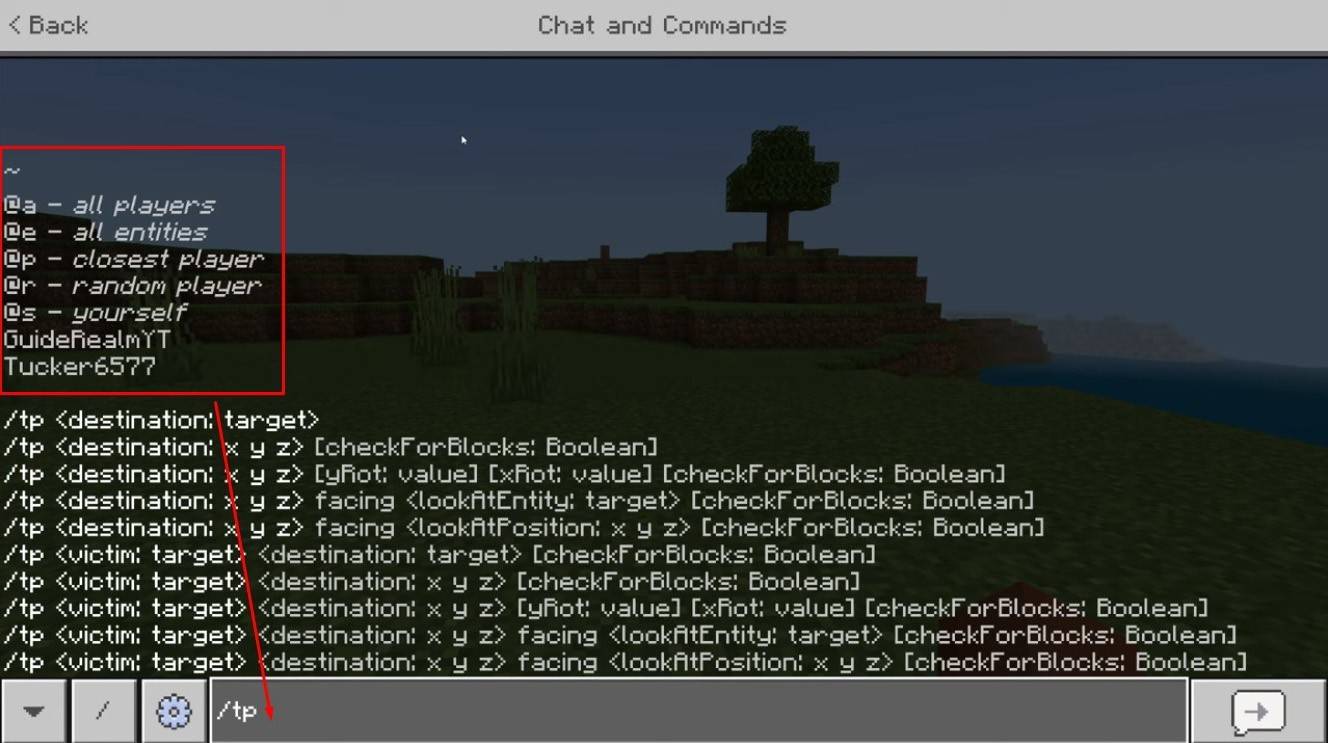
Minecraftのテレポーテーション画像:YouTube.com

主なコマンドは「/TP」で、動きを正確に制御するための多数のバリエーションとパラメーターを提供します。プレイヤーにテレポート、特定の座標、または視聴方向を設定することもできます。さらに、クリーチャーをテレポートできます!

コマンドの重要な機能の内訳は次のとおりです。

コマンド名アクション
/TP別のプレイヤーにテレポートします。
/TPサーバー管理者/オペレーターがあるプレーヤーを別のプレーヤーに移動できるようにします。
/TP特定の世界座標にテレポートします。
/TP視聴方向(ヨー - 水平回転、ピッチ - 垂直傾斜)を設定します。
/tp @e [type = ]指定されたタイプのすべてのクリーチャーを指定された座標にテレポートします。
/tp @e [type = creeper、limit = 1]指定されたタイプの最も近いクリーチャーの1つのみをテレポートします。
/tp @eすべてのエンティティ(プレイヤー、クリーチャー、アイテム、ボート)をテレポートします。慎重に使用してください。サーバーの遅れを引き起こす可能性があります。


サーバーでは、コマンドの可用性はプレーヤーの権限に依存します。オペレーターと管理者は無制限のアクセスを持っていますが、通常のプレーヤーは許可を必要とします。
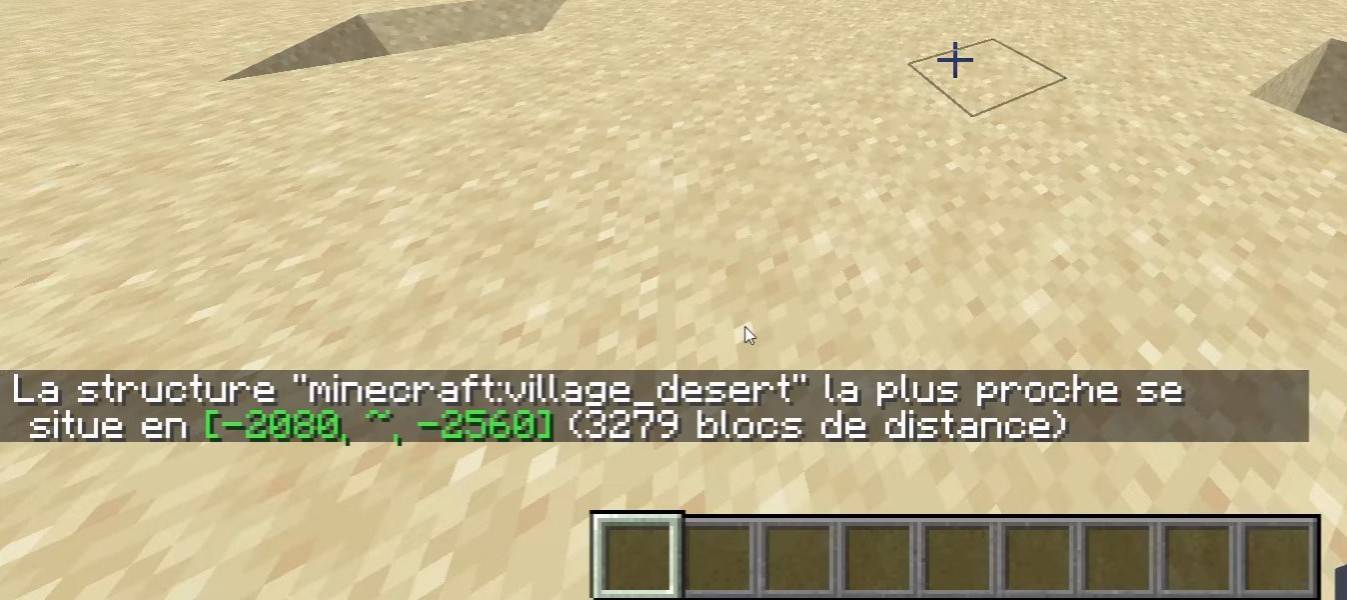
Minecraftのテレポーテーション画像:YouTube.com

「/locate」コマンドは、構造(村、要塞)を見つけるために頻繁に使用されます。 「/TP」と組み合わせると、ターゲットにすぐにテレポートします。


サバイバルモードのテレポーテーション

このコマンドはデフォルトで無効になっていますが、世界作成中にチートをアクティブにしたり、コマンドブロックを使用したり、サーバー管理者の権利を取得したり、EssentialSXのようなプラグインをインストールすることで有効にできます。


コマンドブロックを介したテレポーテーション
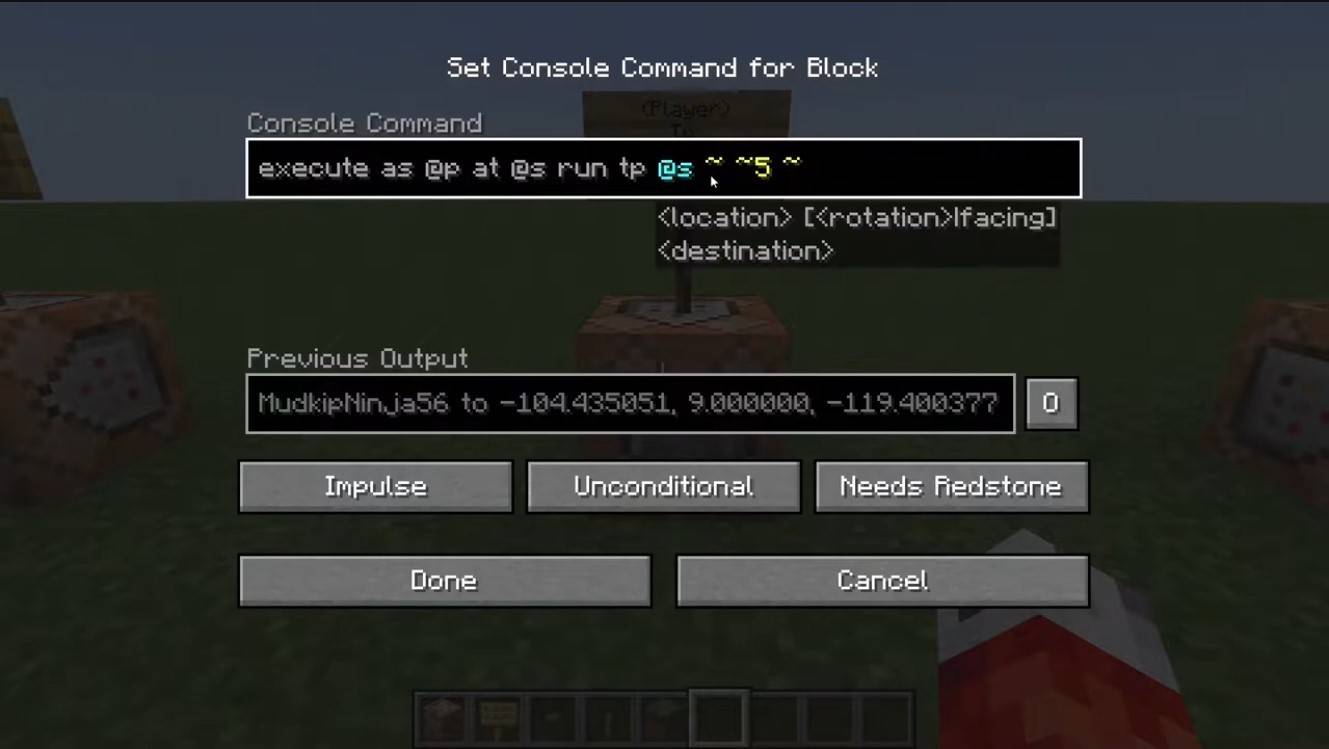
コマンドブロックを介したテレポーテーション画像:YouTube.com

コマンドブロックはテレポーテーションを自動化します。マルチプレイヤーでは、サーバー設定でそれらを有効にし、「/@p command_block」を使用してブロックを取得し、それを配置し、目的のコマンドを入力し、レバーまたはボタンを接続してアクティブ化します。


サーバー上のテレポーテーション

サーバーは、多くの場合、あなたの役割に応じて可用性で特殊なコマンドを使用します。管理者、モデレーター、および寄付者は通常、より多くの選択肢を持っていますが、通常のプレイヤーは制限に直面しています。一般的なサーバーコマンドは次のとおりです。

  • 「/spawn」 - プレーヤーをサーバーのスポーンポイントに返します。
  • 「/home」 - プレイヤーを救った家にテレポートします。
  • 「/sethome」 - ホームポイントを設定します。
  • 「/warp」 - 事前定義されたウェイポイントにテレポートします。
  • 「/TPA」 - 別のプレイヤーにテレポーテーションリクエストを送信します。
  • 「/tpaccept」 - テレポーテーションのリクエストを受け入れます。
  • 「/tpdeny」 - テレポーテーションのリクエストを拒否します。

テレポートする前に、サーバーのルールを確認します。戦闘中のテレポートに対する制限、遅延、または罰則を課す人もいます。コマンドが失敗した場合は、許可を確認するか、代替案を求めます。


一般的なエラーとソリューション
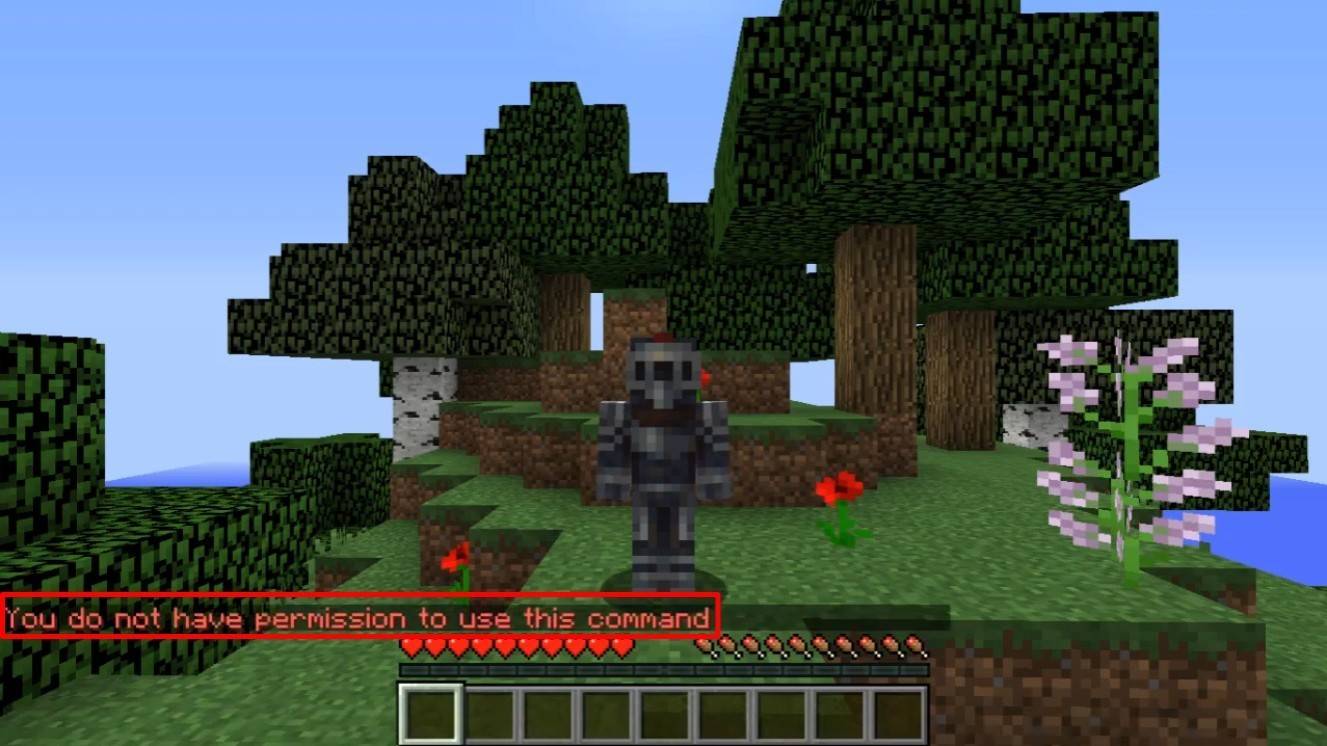
Minecraftのテレポーテーション画像:YouTube.com

「許可がない」では、許可が不十分であることが示されています。シングルプレイヤーの管理者許可を要求するか、チートを有効にします。 「誤った引数」は、コマンドまたは引数エラーを意味します。入力を再確認します。地下になった場合は、Y座標が低すぎないことを確認してください(64以降が推奨されます)。遅延は、不正行為を防ぐための意図的なサーバー設定が原因である可能性があります。


安全なテレポーテーションのためのヒント

目的地が安全であることを確認してください。サーバーでは、「/TPA」を使用して偶発的な動きを避けます。新しいエリアを探索する前に、「/sethome」でリターンポイントを設定します。未知の場所にテレポートするときは、ポーションや緊急時の不死のトーテムを運びます。

Minecraft Teleportationは、ナビゲーションとゲームプレイのための便利なツールです。コマンド、プラグイン、およびコマンドブロックは、効率的な旅行を有効にしますが、ゲームのバランスを維持するために賢明に使用します。

メイン画像:YouTube.com

最新ニュース
As of now, there is no official

As of now, there is no official "Nintendo Switch 2" released. Nintendo has not announced a successor to the Nintendo Switch, and the original Nintendo Switch (2017) remains the current model. However, if you're looking for the best power banks to use with your Nintendo Switch (whether it's the original Switch, Switch OLED, or any future model), here are the top recommendations based on performance, safety, and user feedback: ✅ Best Power Banks for Nintendo Switch (2024–2025) (Even if a "Switch 2" arrives, it will likely use the same USB-C charging standard.) 1. Anker PowerCore 20100 (20,000mAh) Why it's great: High-capacity 20,000mAh battery Supports Power Delivery (PD) 30W, which is ideal for fast charging the Switch Compact and lightweight (16.5 oz) Built-in cable (USB-C to USB-C) for easy use Anker’s trusted build quality and safety features Best for: Long gaming sessions on the go, travel, and reliability Note: Can charge Switch while on the go, and even power the console while charging. 2. RAVPower 20000mAh Power Bank with PD 30W Why it's great: 20,000mAh capacity Supports 30W USB-C PD – fast charging for Switch Dual USB-C ports (can charge Switch and another device at once) Compact, durable design with built-in LED battery indicator Best for: Gamers who want fast charging and multitasking Bonus: Comes with a protective case and cable 3. Xiaomi Mi Power Bank 3 Pro (20,000mAh) Why it's great: Slim, lightweight, and stylish Supports 20W PD charging (sufficient for Switch) Fast charging for both Switch and smartphones High efficiency and long lifespan Best for: Travelers and those who prefer sleek, minimalist design 4. Belkin 20W USB-C PD Power Bank (20,000mAh) Why it's great: Apple- and Nintendo-approved build quality Reliable 20W PD output (ideal for Switch) Compact and travel-friendly Durable, well-protected casing Best for: Users who value brand reliability and compatibility 🔌 Important Charging Tips for Nintendo Switch: Use USB-C to USB-C cable with PD 30W support for optimal performance. Avoid cheap or uncertified power banks — they may not deliver stable power, risking battery damage. The Switch charges at up to 15W, so any PD 15W or higher power bank will work well. Never use non-USB-C PD power banks — they may not charge properly. ❌ What to Avoid: Power banks without USB-C PD support Ultra-cheap brands (risk of overheating or damage) Power banks with output

ローラン・ギャロス・エリーグ2025 ファイナリスト決定

ローラン・ギャロス・エリーグ2025 ファイナリスト決定